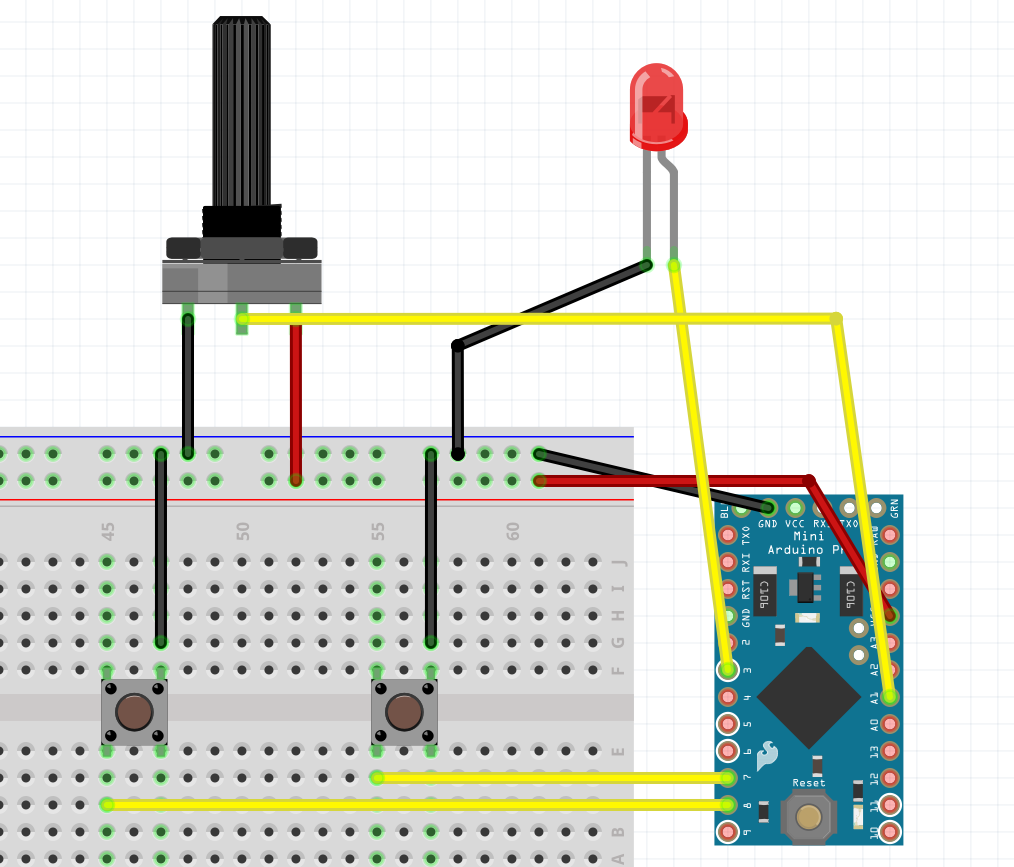
Install this keyboard lib to convert the Arduino to a Joystick.
https://github.com/MHeironimus/ArduinoJoystickLibrary?tab=readme-ov-file
Apply this code to your Arduino.
#include <Joystick.h>

// Create the Joystick
Joystick_ Joystick;

int potival = 0; //define potis current value

void setup() {
    // Serial.begin(9600); // start serial communication
     pinMode(3,OUTPUT);
    pinMode(7,INPUT_PULLUP);
    pinMode(8,INPUT_PULLUP);
     Joystick.begin(); // start up the joystick


}

void loop() {

  int draw_btn = digitalRead(7);
  potival = analogRead(1); // read out the analog pin 1 and save in varialbe potival
  if( !draw_btn ){
      Joystick.setXAxis(potival);
 }else{
      Joystick.setYAxis(potival);
 }
   delay(10); // delay
}
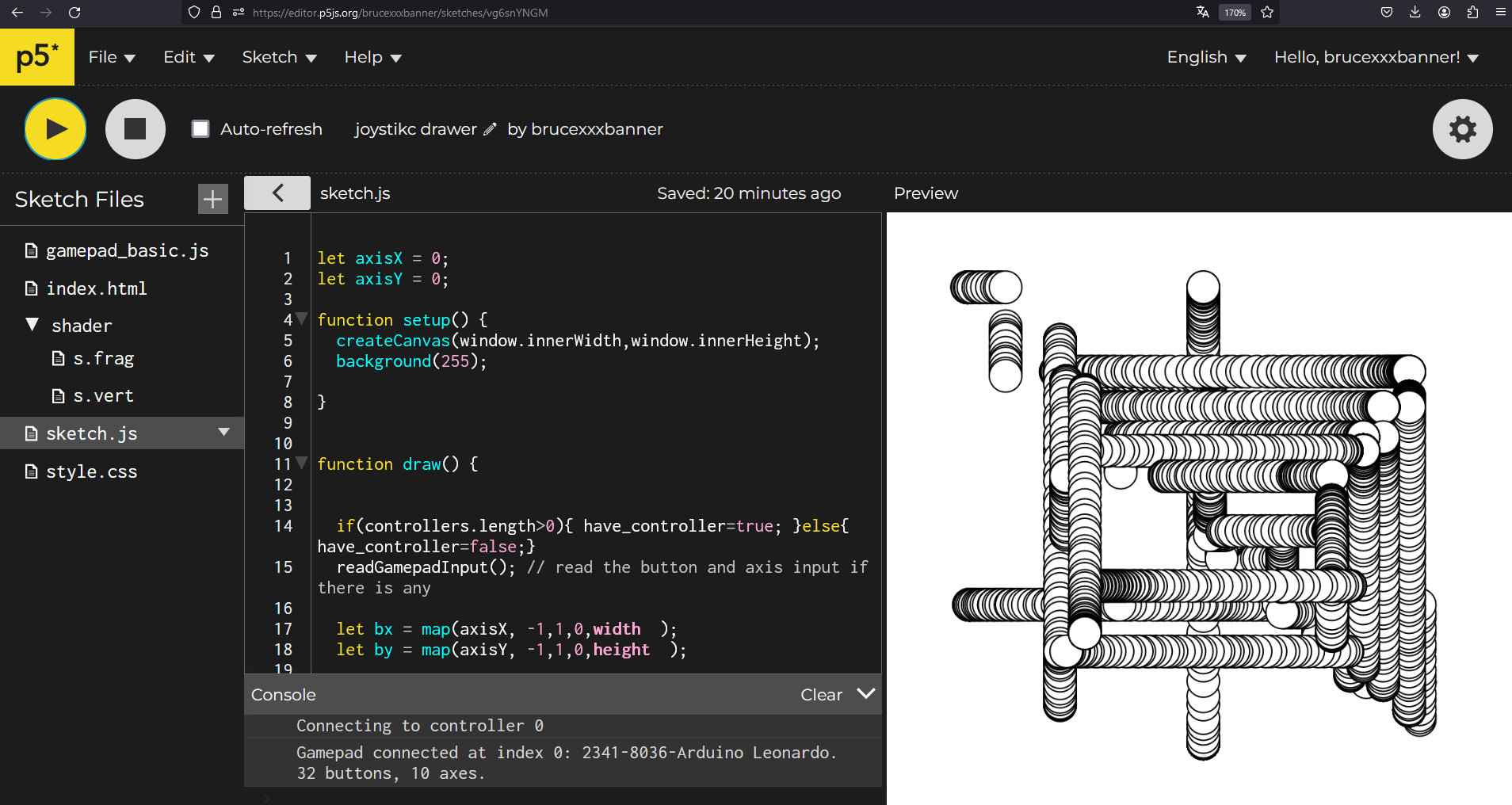
LINO TO THE ONLINE EDITOR: https://editor.p5js.org/brucexxxbanner/sketches/vg6snYNGM